Navigation & UX optimization
A visitor should understand where they are, what a service includes and how to continue.

Focused work. Clear deliverables.
A defined scope, practical implementation and a useful handover.
Service overview
A visitor should understand where they are, what a service includes and how to continue. I organize the header, dropdowns, breadcrumbs, service links, footer and calls to action around that journey. Important information receives a clear place in the hierarchy, and forms ask for the context needed to handle the enquiry without unnecessary friction.
- Header, footer and dropdown navigation
- Service hierarchy and contextual internal links
- Clear page sections and calls to action
- Form flow, error states and completion messages
Scope of work
Practical tasks, implementation details and checks for each part of the service.
Clear service hierarchy
I organize the header, footer and contextual links around the visitor’s likely tasks. Main categories remain distinct from specialist services. Menu labels describe the destination clearly, making it easier to find the right service without opening several vague categories.
Page structure and next actions
Headings, summaries and calls to action are arranged so a visitor can understand the offer before deciding what to do. Related links support useful next questions. Repeating the same button after every paragraph is avoided when it interrupts the reading flow.
Forms and feedback states
The review covers field labels, required information, validation errors and confirmation messages. Error messages should explain what needs attention without discarding the visitor’s work unnecessarily. Email and integration behavior are considered separately from the form’s visual appearance.
Navigation testing
Links, dropdowns, focus behavior and small-screen menus are checked across representative pages. Breadcrumbs should reflect the page hierarchy, and active states should help visitors understand where they are. Findings identify both template-level problems and individual broken destinations.
Deliverables & project inputs
A clear handover and the information needed to get started.
What you receive
- The agreed WordPress feature, template or implementation work
- Checks for responsive layout, content behavior and relevant integrations
- Editing and maintenance notes for the person managing the website
- A handover identifying completed work and remaining dependencies
What I need from you
- Business goals, brand assets and page requirements
- Content, images and required forms or integrations
- WordPress hosting, domain and existing website details
- Approval responsibilities, launch scope and maintenance needs
Access and approvals are agreed before work begins. Ongoing management, external subscriptions and media spend are scoped separately.
Related services.
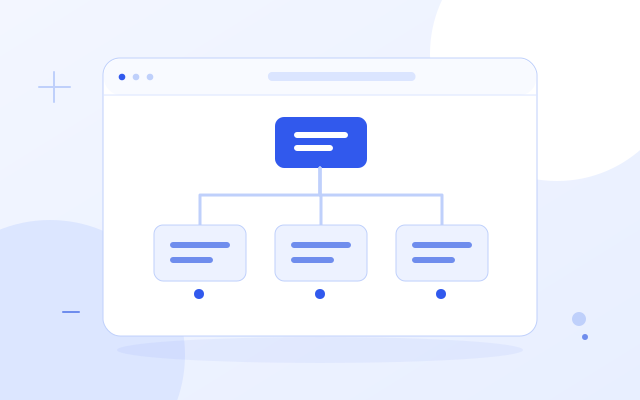
Strategic planning & requirements analysis
Website planning defines the pages, user journeys and features the business actually needs.

Responsive & user-centered design
Responsive design adapts the website to phones, tablets and desktop screens while keeping the content easy to read.

WordPress CMS & editable layouts
The website is built for WordPress content management, with a deliberate editing model.
Frequently asked questions
What to expect from the service, its scope and delivery.
What is included in Navigation & UX optimization services?
A visitor should understand where they are, what a service includes and how to continue. I organize the header, dropdowns, breadcrumbs, service links, footer and calls to action around that journey. Important information receives a clear place in the hierarchy, and forms ask for the context needed to handle the enquiry without unnecessary friction.
How do you organize main services and subservices?
I organize the header, footer and contextual links around the visitor’s likely tasks. Main categories remain distinct from specialist services. Menu labels describe the destination clearly, making it easier to find the right service without opening several vague categories.
Do you review calls to action and page flow?
Headings, summaries and calls to action are arranged so a visitor can understand the offer before deciding what to do. Related links support useful next questions. Repeating the same button after every paragraph is avoided when it interrupts the reading flow.
Does UX work include form errors and confirmation messages?
The review covers field labels, required information, validation errors and confirmation messages. Error messages should explain what needs attention without discarding the visitor’s work unnecessarily. Email and integration behavior are considered separately from the form’s visual appearance.
How do you test navigation and breadcrumbs?
Links, dropdowns, focus behavior and small-screen menus are checked across representative pages. Breadcrumbs should reflect the page hierarchy, and active states should help visitors understand where they are. Findings identify both template-level problems and individual broken destinations.
Discuss Navigation & UX optimization.
Share your current setup and the outcome you want to improve. We can agree the right scope, inputs and deliverables.